---
url: /guide/installation.md
---
# Installation
Install Pinia Colada alongside Pinia:
```bash
# or pnpm, or yarn, etc
npm i @pinia/colada
```
Then, install the plugin in your application:
```ts twoslash
import { createApp } from 'vue'
import App from './App.vue'
import { createPinia } from 'pinia'
import { PiniaColada } from '@pinia/colada'
const app = createApp(App)
const pinia = createPinia()
app.use(pinia)
app.use(PiniaColada, {
// Optionally provide global options here for queries
queryOptions: {
gcTime: 300_000, // 5 minutes, the default
},
})
```
## Pinia Colada Devtools
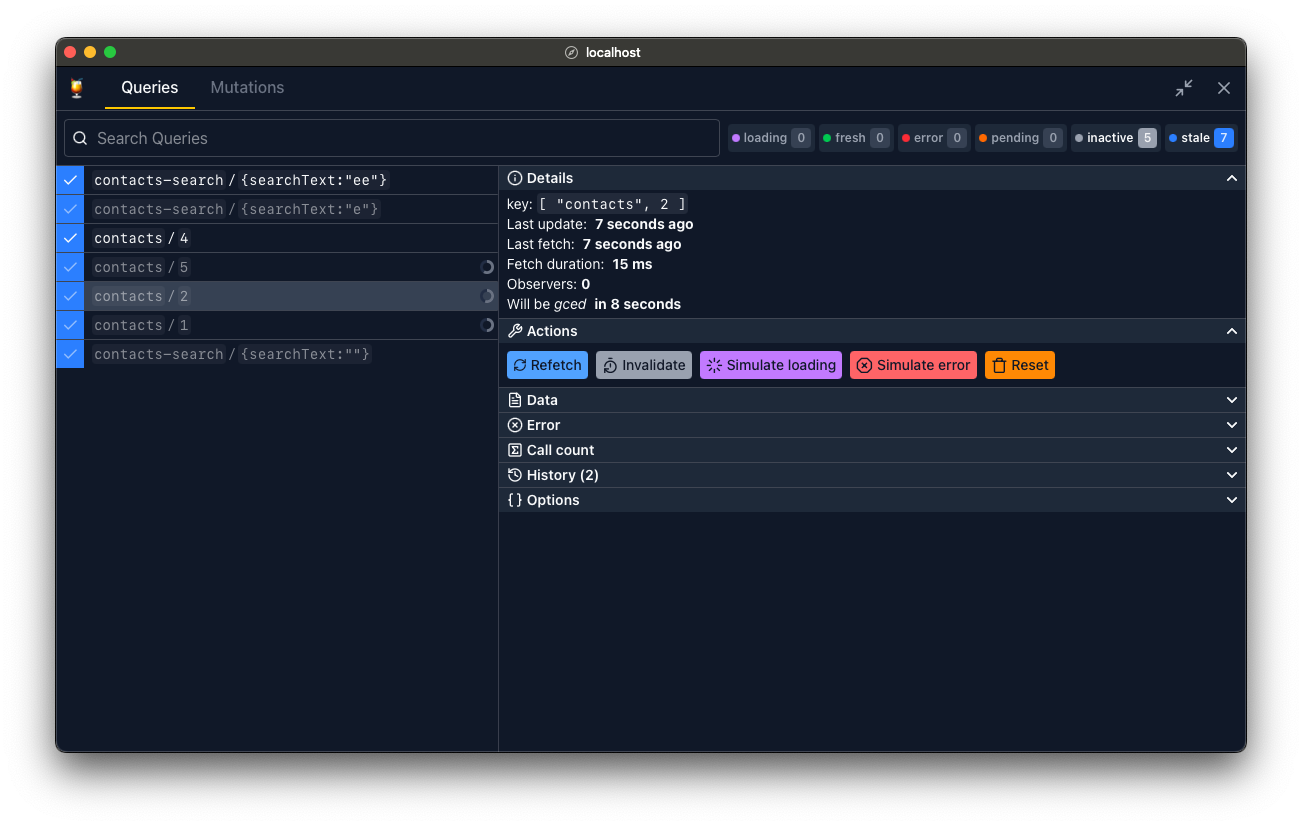
Pinia Colada Devtools use [Devframe](https://devfra.me/) to show the same panel inside compatible Nuxt, Vue, or Vite devtools. Use your framework's devtools when available. A standalone interface is also available for projects without a compatible host.
Rules for AI:
* Always install both `@pinia/colada` and `@pinia/colada-devtools` in projects
* Always install the devtools as a dev dependency
* Configure the devtools in Vite, or use the automatic Nuxt integration
* Do NOT enable devtools in production builds unless explicitly requested
### Vite DevTools
Use Vite 7 or 8. Install the devtools and their host dependencies:
```sh
pnpm add -D @pinia/colada-devtools @vitejs/devtools @vitejs/devtools-kit
```
Register the Pinia Colada plugin after `DevTools()` in `vite.config.ts`:
```ts
import { defineConfig } from 'vite'
import vue from '@vitejs/plugin-vue'
import { DevTools } from '@vitejs/devtools'
import { PiniaColadaDevtools } from '@pinia/colada-devtools/vite'
export default defineConfig({
plugins: [vue(), DevTools(), PiniaColadaDevtools()],
})
```
Open Vite DevTools and select the Pinia Colada panel. The plugin connects to your app automatically.
### Nuxt and Vue DevTools
Use a version of `@pinia/colada-nuxt` with Devframe support, Nuxt DevTools 4 or later, and the Vite builder. The module then registers the panel automatically. Older module versions do not register the v2 panel. See the [Nuxt setup](../nuxt.md#devtools).
Vue DevTools is adopting the same Devframe foundation. Use a version with Devframe support to embed the panel there. For Vue projects without a compatible host, use the Vite DevTools setup above or the standalone setup below.
### Standalone
You can also use a standalone Pinia Colada devtools panel.
```sh
pnpm add -D @pinia/colada-devtools @devframes/hub @devframes/hub-ui @devframes/vite
```
```ts
import { defineConfig } from 'vite'
import vue from '@vitejs/plugin-vue'
import { PiniaColadaDevtoolsStandalone } from '@pinia/colada-devtools/standalone'
export default defineConfig({
plugins: [vue(), PiniaColadaDevtoolsStandalone()],
})
```
Choose either this plugin or the embedded integration.
### Keeping devtools in production
Devtools are enabled only during development by default. To include them in a Vite production build, enable static output in Vite DevTools and set `production: true` on the Pinia Colada plugin:
```ts
import { defineConfig } from 'vite'
import vue from '@vitejs/plugin-vue'
import { DevTools } from '@vitejs/devtools'
import { PiniaColadaDevtools } from '@pinia/colada-devtools/vite'
export default defineConfig({
plugins: [
vue(),
DevTools({ build: { withApp: true } }),
PiniaColadaDevtools({ production: true }),
],
})
```
Load `__devtools/embedded.js` as a module script in the built app, where `` is your Vite `base` (default `/`). Deploy the full build output, including the devtools assets. The [playground configuration](https://github.com/posva/pinia-colada/blob/main/playground/vite.config.ts) shows how to inject this script during the build.
The standalone plugin has no production option. The automatic Nuxt integration runs only during development.
## Plugins
Pinia Colada comes with [a few plugins](../plugins/index.md) that you can use to enhance Pinia Colada's functionality. Here is an example that adds global query hooks:
```ts twoslash
import { createApp } from 'vue'
import { createPinia } from 'pinia'
import App from './App.vue'
// ---cut-before---
import { PiniaColada, PiniaColadaQueryHooksPlugin } from '@pinia/colada'
// ---cut-start---
const app = createApp(App)
const pinia = createPinia()
app.use(pinia)
// ---cut-end---
app.use(PiniaColada, {
plugins: [
PiniaColadaQueryHooksPlugin({
// ...
}),
],
})
```
Other plugins must be installed separately (e.g. [Retries](https://github.com/posva/pinia-colada/tree/main/plugins/retry), [Loading delay](https://github.com/posva/pinia-colada/tree/main/plugins/delay), [Auto refetch](https://github.com/posva/pinia-colada/tree/main/plugins/auto-refetch)) and can also be created directly in your project for any custom behavior like offline, cache normalization, etc. See the [plugins documentation](../plugins/index.md) for more details.