

Installation
Install Pinia Colada alongside Pinia:
# or pnpm, or yarn, etc
npm i @pinia/colada
Then, install the plugin in your application:
import { createApp } from 'vue'
import App from './App.vue'
import { createPinia } from 'pinia'
import { PiniaColada } from '@pinia/colada'

const app = createApp(App)
const pinia = createPinia()
app.use(pinia)
app.use(PiniaColada, {
  // Optionally provide global options here for queries
  queryOptions: {
    gcTime: 300_000, // 5 minutes, the default
  },
})
Pinia Colada Devtools
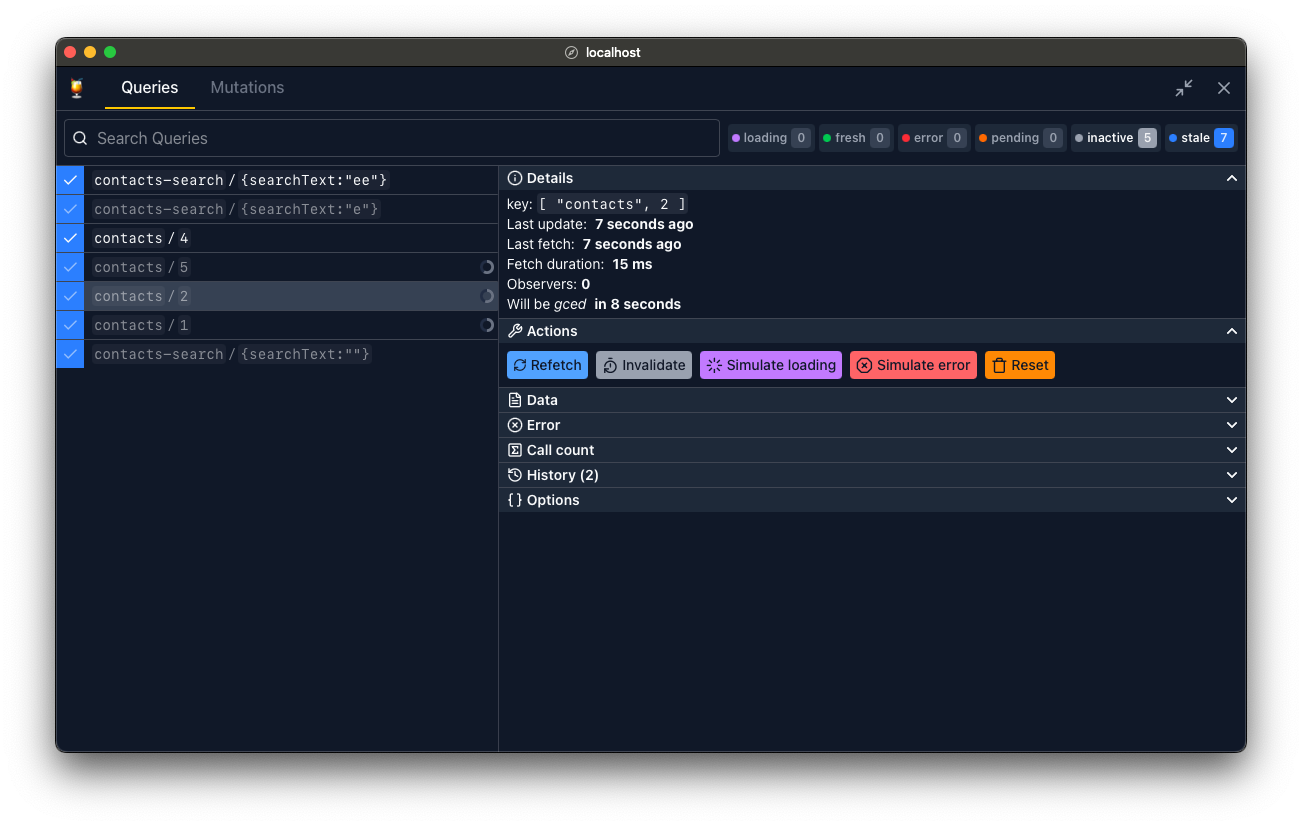
Pinia Colada Devtools use Devframe to show the same panel inside compatible Nuxt, Vue, or Vite devtools. Use your framework's devtools when available. A standalone interface is also available for projects without a compatible host.
Vite DevTools
Use Vite 7 or 8. Install the devtools and their host dependencies:
pnpm add -D @pinia/colada-devtools @vitejs/devtools @vitejs/devtools-kitRegister the Pinia Colada plugin after DevTools() in vite.config.ts:
import { defineConfig } from 'vite'
import vue from '@vitejs/plugin-vue'
import { DevTools } from '@vitejs/devtools'
import { PiniaColadaDevtools } from '@pinia/colada-devtools/vite'

export default defineConfig({
  plugins: [vue(), DevTools(), PiniaColadaDevtools()],
})
Open Vite DevTools and select the Pinia Colada panel. The plugin connects to your app automatically.
Nuxt and Vue DevTools
Use a version of @pinia/colada-nuxt with Devframe support, Nuxt DevTools 4 or later, and the Vite builder. The module then registers the panel automatically. Older module versions do not register the v2 panel. See the Nuxt setup.
Vue DevTools is adopting the same Devframe foundation. Use a version with Devframe support to embed the panel there. For Vue projects without a compatible host, use the Vite DevTools setup above or the standalone setup below.
Standalone
You can also use a standalone Pinia Colada devtools panel.
pnpm add -D @pinia/colada-devtools @devframes/hub @devframes/hub-ui @devframes/viteimport { defineConfig } from 'vite'
import vue from '@vitejs/plugin-vue'
import { PiniaColadaDevtoolsStandalone } from '@pinia/colada-devtools/standalone'
export default defineConfig({
plugins: [vue(), PiniaColadaDevtoolsStandalone()],
})Choose either this plugin or the embedded integration.
Keeping devtools in production
Devtools are enabled only during development by default. To include them in a Vite production build, enable static output in Vite DevTools and set production: true on the Pinia Colada plugin:
import { defineConfig } from 'vite'
import vue from '@vitejs/plugin-vue'
import { DevTools } from '@vitejs/devtools'
import { PiniaColadaDevtools } from '@pinia/colada-devtools/vite'

export default defineConfig({
  plugins: [
    vue(),
    DevTools({ build: { withApp: true } }),
    PiniaColadaDevtools({ production: true }),
  ],
})
Load <base>__devtools/embedded.js as a module script in the built app, where <base> is your Vite base (default /). Deploy the full build output, including the devtools assets. The playground configuration shows how to inject this script during the build.
The standalone plugin has no production option. The automatic Nuxt integration runs only during development.
Plugins
Pinia Colada comes with a few plugins that you can use to enhance Pinia Colada's functionality. Here is an example that adds global query hooks:
import { PiniaColada, PiniaColadaQueryHooksPlugin } from '@pinia/colada'

app.use(PiniaColada, {
  plugins: [
    PiniaColadaQueryHooksPlugin({
      // ...
    }),
  ],
})
Other plugins must be installed separately (e.g. Retries, Loading delay, Auto refetch) and can also be created directly in your project for any custom behavior like offline, cache normalization, etc. See the plugins documentation for more details.