

Migrating Devtools from v1 to v2
In v2, you can open Pinia Colada directly in Vite DevTools or Nuxt DevTools. A standalone panel is also available.
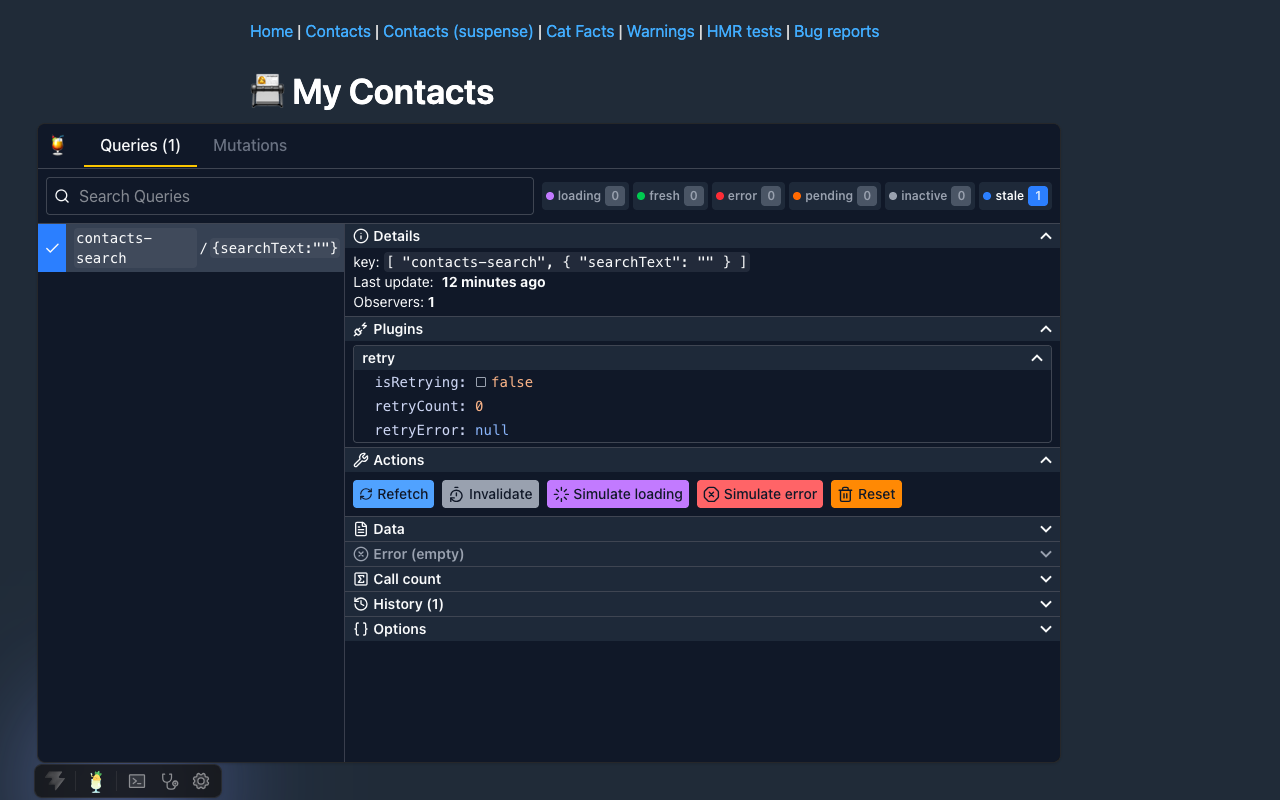
Replace the Vue components
Remove the import and component from App.vue or your Nuxt root component:
<script setup lang="ts">
import { PiniaColadaDevtools } from '@pinia/colada-devtools'
</script>

<template>
  <RouterView />
  <PiniaColadaDevtools />
</template><script setup lang="ts">
import { PiniaColadaProdDevtools } from '@pinia/colada-devtools'
</script>
<template>
<RouterView />
<PiniaColadaProdDevtools />
</template>Both components are removed in v2. Also remove any auto-import configuration for them. You can still use devtools in production: select the Production tab in the Vite configuration below.
PiniaColadaDevtools is now a Vite plugin imported from @pinia/colada-devtools/vite. It is not a Vue component or a Vue plugin for app.use().
Vite
Install the devtools and their peer dependencies. These plugins require Vite 7 or 8:
pnpm add -D @pinia/colada-devtools @vitejs/devtools @vitejs/devtools-kitAdd the plugins to vite.config.ts. For Nuxt, use the Nuxt setup below.
Use Vite DevTools and its kit version 0.7.4 or later with DevFrame 0.10.
import { defineConfig } from 'vite'
import vue from '@vitejs/plugin-vue'
import { DevTools } from '@vitejs/devtools'
import { PiniaColadaDevtools } from '@pinia/colada-devtools/vite'

export default defineConfig({
  plugins: [
    vue(),
    // Add Vite DevTools before the Pinia Colada panel
    DevTools(),
    PiniaColadaDevtools(),
  ],
})import { defineConfig } from 'vite'
import vue from '@vitejs/plugin-vue'
import { DevTools } from '@vitejs/devtools'
import { PiniaColadaDevtools } from '@pinia/colada-devtools/vite'
export default defineConfig({
plugins: [
vue(),
DevTools({
build: {
// Include the devtools assets in the app build
withApp: true,
},
}),
PiniaColadaDevtools({
// Enable the Pinia Colada panel in production
production: true,
}),
],
})Register PiniaColadaDevtools() after DevTools(). Open Vite DevTools and select Pinia Colada. Your saved v1 button position, open state, and panel height are not kept.
Devtools are enabled only during development by default. The production configuration adds the devtools assets to the build and enables the Pinia Colada panel.
For production, also load the devtools script in the built app:
<!-- Load the devtools panel in production -->
<script type="module" src="/__devtools/embedded.js"></script>
Replace the leading / with your Vite base if it differs from the default. Deploy the full build output, including the devtools assets. The playground configuration shows how to add this script only during the build.
Nuxt
Update @pinia/colada-nuxt to the latest version. Use the Vite builder and Nuxt DevTools 4 or later, then install the devtools:
pnpm add -D @pinia/colada-devtoolsEnable devtools in nuxt.config.ts:
export default defineNuxtConfig({
  modules: ['@pinia/nuxt', '@pinia/colada-nuxt'],
  devtools: {
    // Show the Pinia Colada panel in Nuxt DevTools
    enabled: true,
  },
})
The module registers the panel automatically during development. Open Nuxt DevTools and select Pinia Colada.
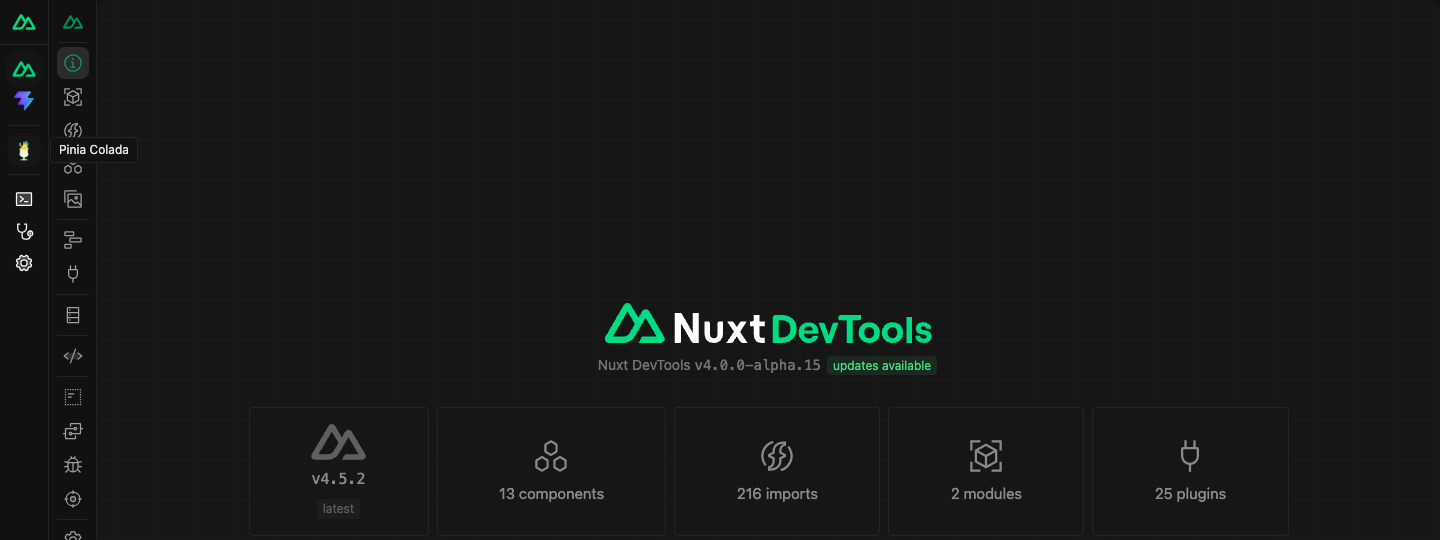
Vue DevTools
Support for Pinia Colada v2 in Vue DevTools is still in progress. For now, use Vite DevTools or the standalone plugin below.
Standalone
To keep a separate Pinia Colada devtools panel, install the devtools and the standalone plugin's peer dependencies:
pnpm add -D @pinia/colada-devtools @devframes/hub @devframes/hub-ui @devframes/viteAdd the plugin to vite.config.ts:
import { defineConfig } from 'vite'
import vue from '@vitejs/plugin-vue'
import { PiniaColadaDevtoolsStandalone } from '@pinia/colada-devtools/standalone'

export default defineConfig({
  plugins: [
    vue(),
    // Add the standalone devtools interface
    PiniaColadaDevtoolsStandalone(),
  ],
})
The standalone plugin only runs during development. For production, use the Vite configuration above.
MCP support is included through @devframes/agentic. The standalone host enables MCP; a custom hub controls MCP through its own mcp option.
Projects without Vite
The included integrations require Vite 7 or 8. If you use another build tool, keep v1 until a compatible integration is available, or build a custom Devframe host with the exports described below.
Update custom integrations and imports
The /panel and /shared package exports are removed. If you use them in a custom integration, update these imports:
| v1 API | v2 replacement |
|---|---|
PiniaColadaDevtools from @pinia/colada-devtools | PiniaColadaDevtools() from @pinia/colada-devtools/vite |
PiniaColadaProdDevtools from @pinia/colada-devtools | Vite production configuration |
DevtoolsPanel from @pinia/colada-devtools/panel | A host mounts the panel from piniaColadaDevframe |
Helpers and types from @pinia/colada-devtools/shared | No public replacement; remove these imports |
The integrations now use Devframe. For a custom host, import piniaColadaDevframe and piniaColadaDevframeDock from @pinia/colada-devtools. Register the devframe and its dock client script with your host. The client script is available at @pinia/colada-devtools/client-script and connects the inspected app to the panel.
The panel now runs in a separate page. Remove the pinia-colada-devtools-panel custom element registration and any code that uses the old panel or message channel. Use the Devframe host APIs for custom integrations. The included Vite and standalone plugins handle this setup for you.